View Attendance List
This guide will show you the different ways to open an enrollment's attendance listing, whether you're an admin or a service provider, as well as some tips on what you can do with the attendance listing.
==================
As an admin:
==================
(If you are a provider, you can scroll down and jump to the "As a Provider" section.)
Method #1 - Child Lookup:
(Use this if you want to pinpoint a specific child.)
1. Go to "Lookup" -> "Child Lookup":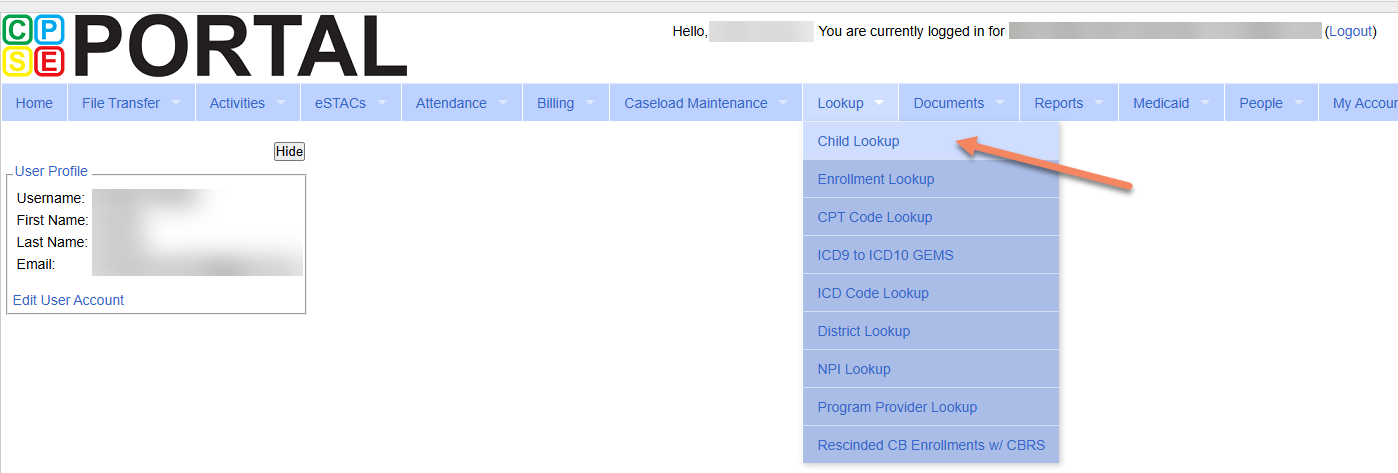
2. Enter the child's name in the search box in the format of "Last Name, First Name". You can also search partial names. Click "Search". Then, click "Details" on the result.
3. You'll be on the Child Details page, where every enrollment for the child under your organization is listed. Click "Attendances" on the enrollment you want to see.
4. You'll arrive at the child's attendance listing.
Method #2 - Enrollment Lookup:
(Use this if you want to browse all of your enrollments.)
1. Go to "Lookup" -> "Enrollment Lookup":
2. Select the service type(s) that you want to include, and click "Search". The "Attendances" link for each enrollment will be on the very right side of each row. You may need to scroll horizontally to see it.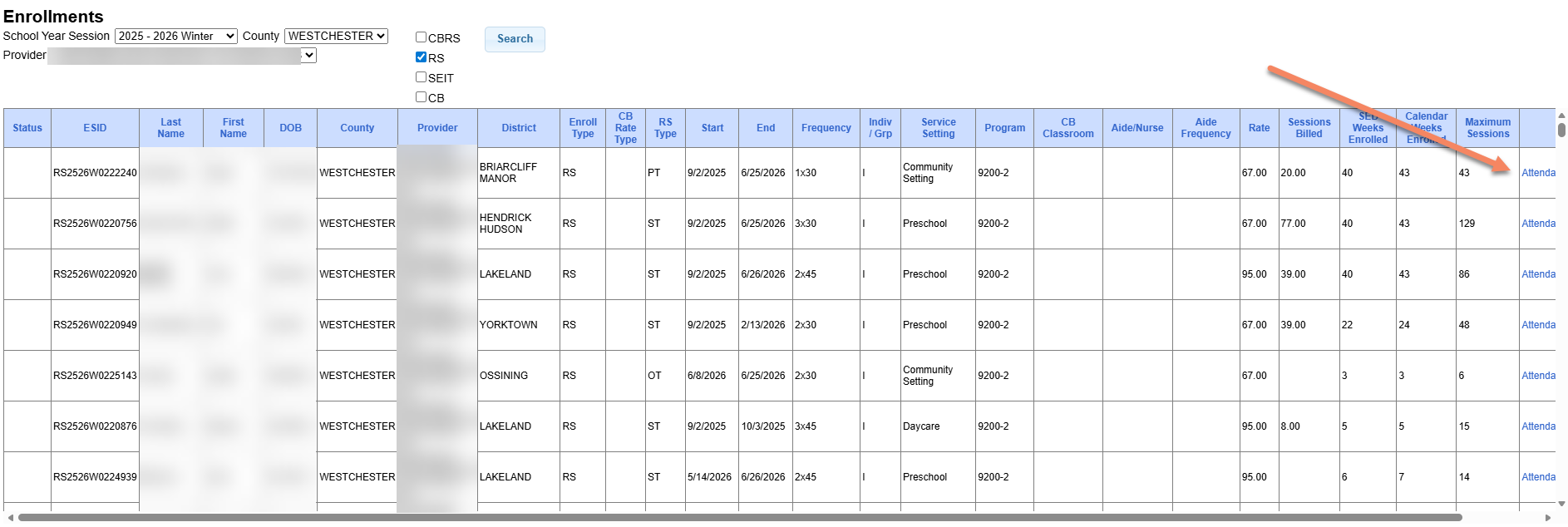
3. Clicking the "Attendances" link on an enrollment will also take you to the same attendance list.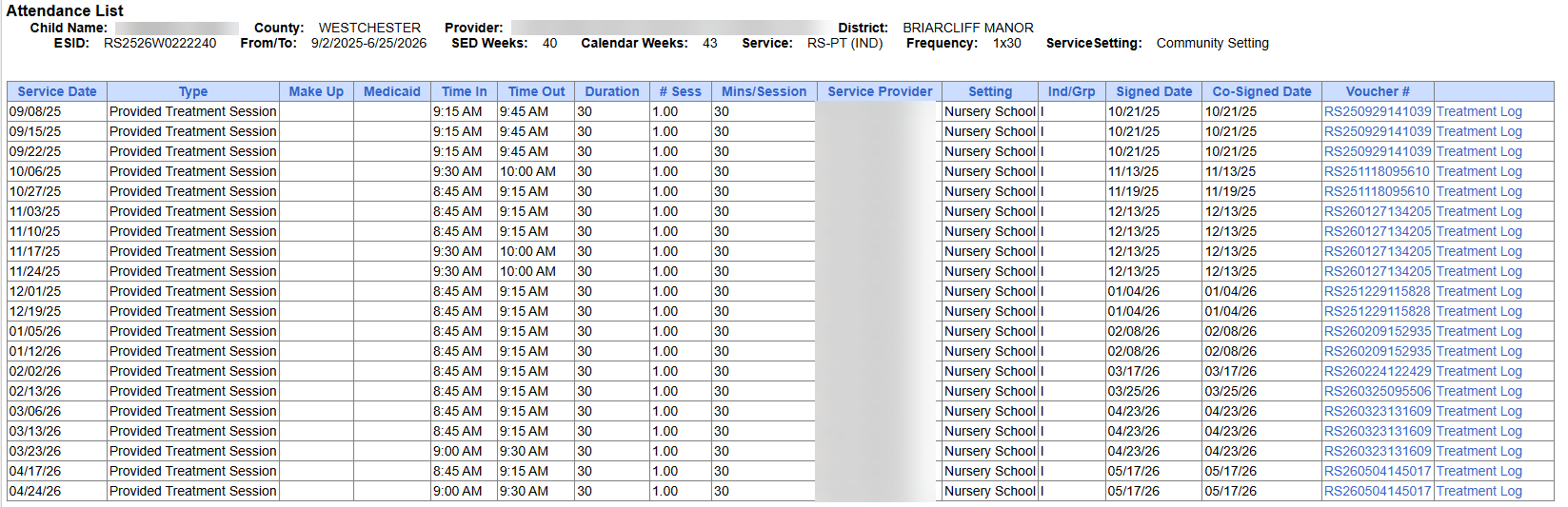
Method #3 - Caseload Lookup:
(Use this if you know who the provider is for the enrollment.)
1. Go to "Caseload Maintenance" -> "Caseload":
2. Select the provider who was assigned the enrollment you're looking for in the "Person" dropdown and click "Retrieve". Then, click "Attendance" on the enrollment.
3. It will take you to the same attendance list:
==================
As a Provider:
==================
1. Go to "Caseload Maintenance" -> "My Caseload":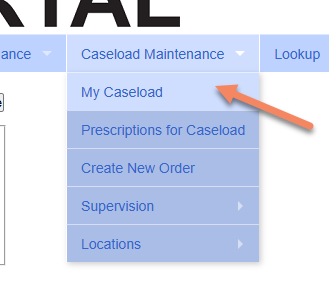
2. Click "Attendances" on the enrollment you want to check: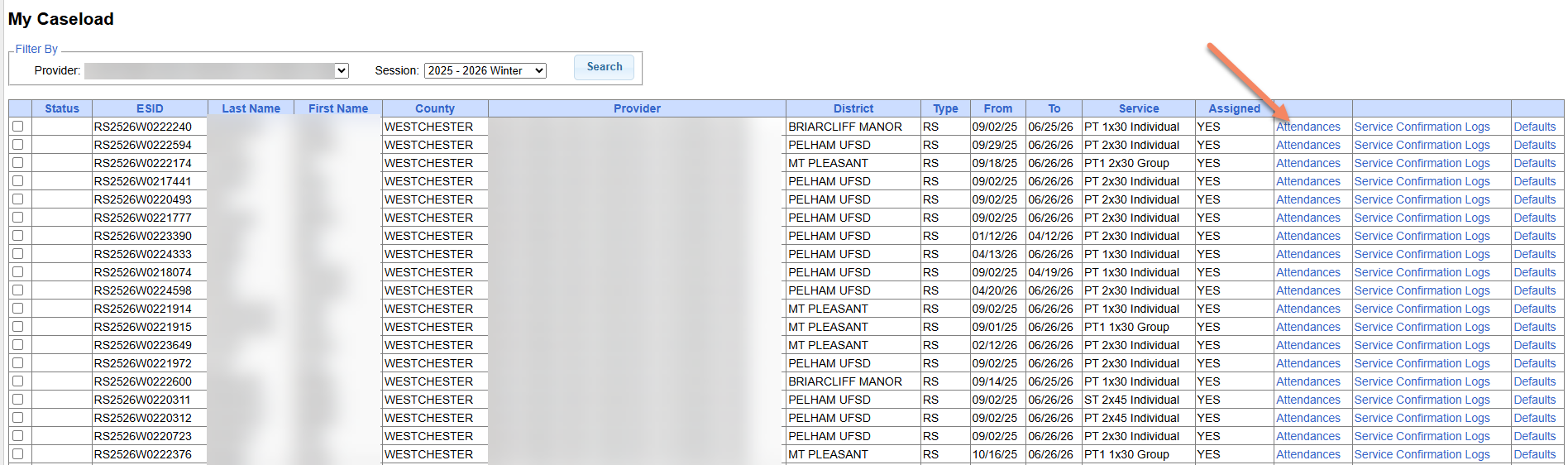
3. You'll see the attendance list for that enrollment:
==================
Helpful Tips:
==================
Viewing Treatment Logs:
While you are on the attendance list, you can click "Treatment Log" to get a printable treatment log for that specific session:
Viewing Voucher Status:
You can also determine if a session is on a voucher or not based on whether that is a voucher number in this column: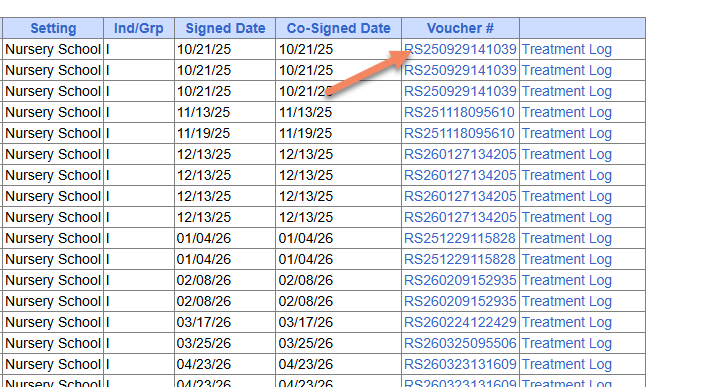
Additionally, if you are an admin, the voucher numbers are links that you can click into, and they'll take you to the voucher details for that specific voucher: